
You can now use Equipment Type as a condition when setting up rule-based driver pay rates. This means you can automatically pay drivers different rates depending on the type of trailer assigned to their load — no manual adjustments needed.
How It Works
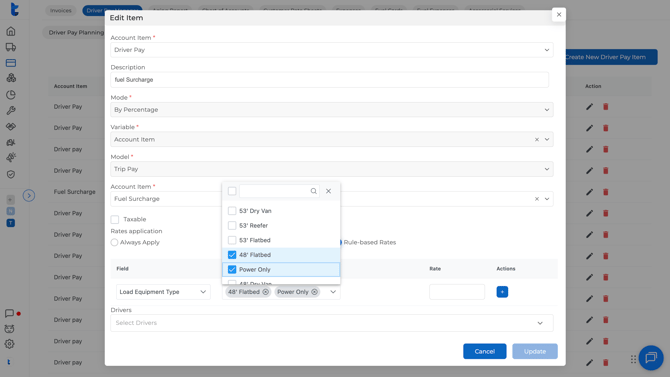
When building a Driver Pay Item in rule-based mode, you'll now see Load Equipment Type as one of the available fields to base your rules on.
Examples of how you might use it:
- Flatbed loads → $0.66/mile
- Dry Van loads → $0.46/mile
- Heavy Haul or Oversized → higher rate
Where to Set This Up
Go to Accounting > Driver Pay Manager > Driver Pay Items > Create New Driver Pay Item.
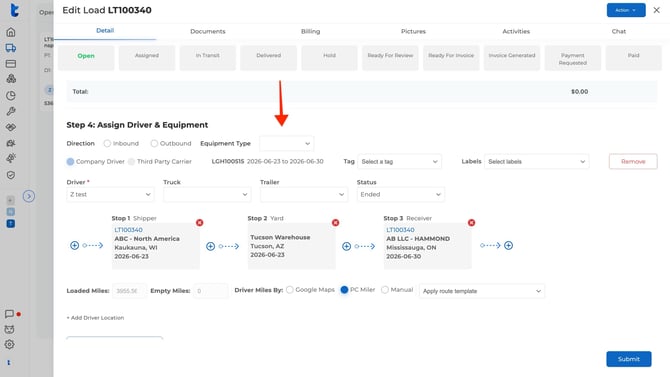
The equipment type is pulled directly from the load details when a driver is dispatched — specifically from the Equipment Type field in Step 4 (Assign Driver & Equipment) of the load. As long as the load has an equipment type selected, the rule will apply automatically.
Questions? Reach out at help@truckpedia.io.
See also: