
Important
If you are not on Trip 3, this workflow will not apply. Non-Trip 3 accounts must continue using tags for owner-operator logic. The steps below only work for accounts with Driver Pay V3 enabled.
Key Changes in Trip 3
- Owner Operators no longer live under tags
- Owner Operators are now created under Customers
- Owner Operator assignment is done inside the driver profile
- Payments are automatically routed to the Owner Operator instead of the driver
Step 1: Create the Owner Operator (Customer)
- Go to Customers
- Click Add Customer
- Create the Owner Operator as a customer
- Use the Owner Operator’s legal/business name
- Complete accounting details as needed
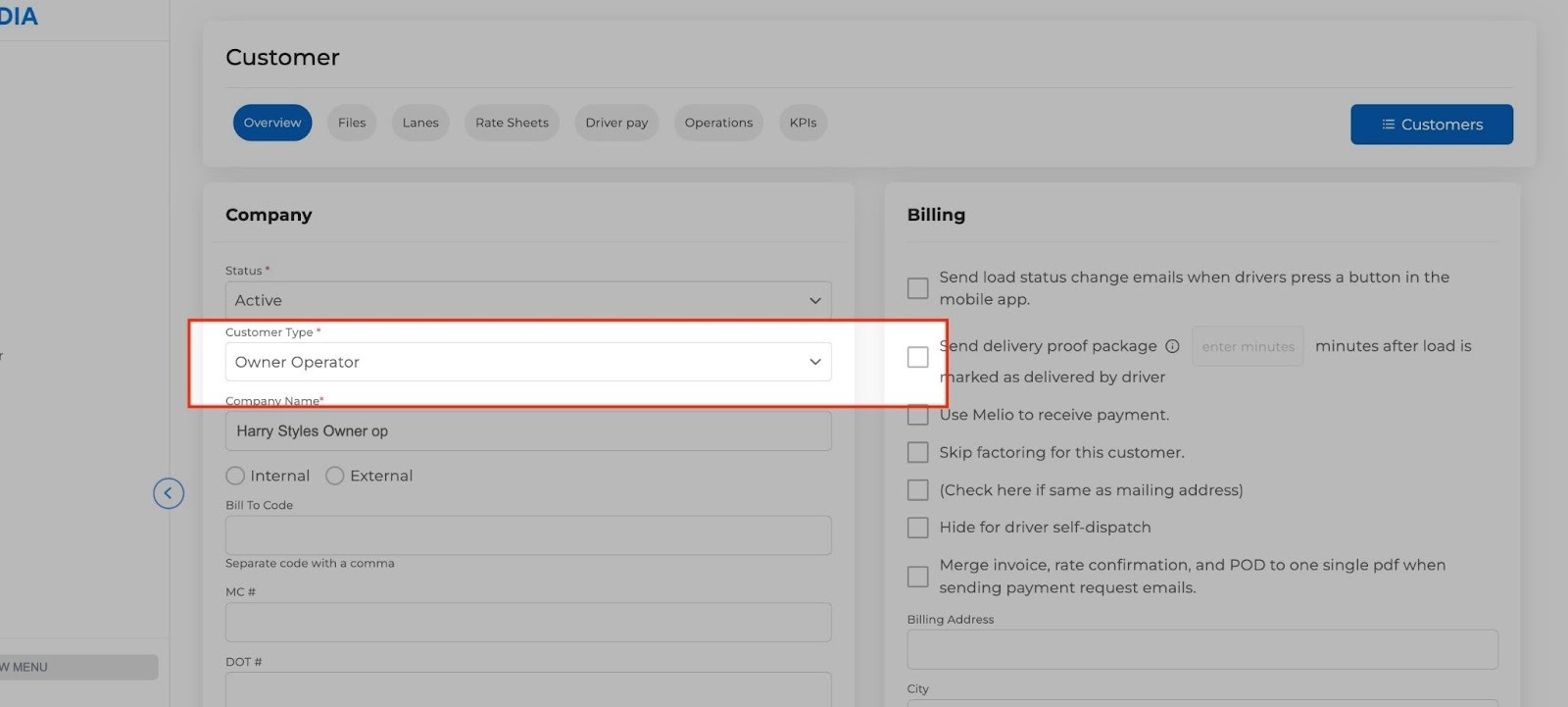
- Use the Owner Operator’s legal/business name
This customer will be used as the payee for settlements.
Step 2: Assign the Driver to the Owner Operator
- Go to Assets
- Open Drivers
- Select the driver
- Navigate to:
Accounting → Driver Pay 2 - Select the Owner Operator (Customer)
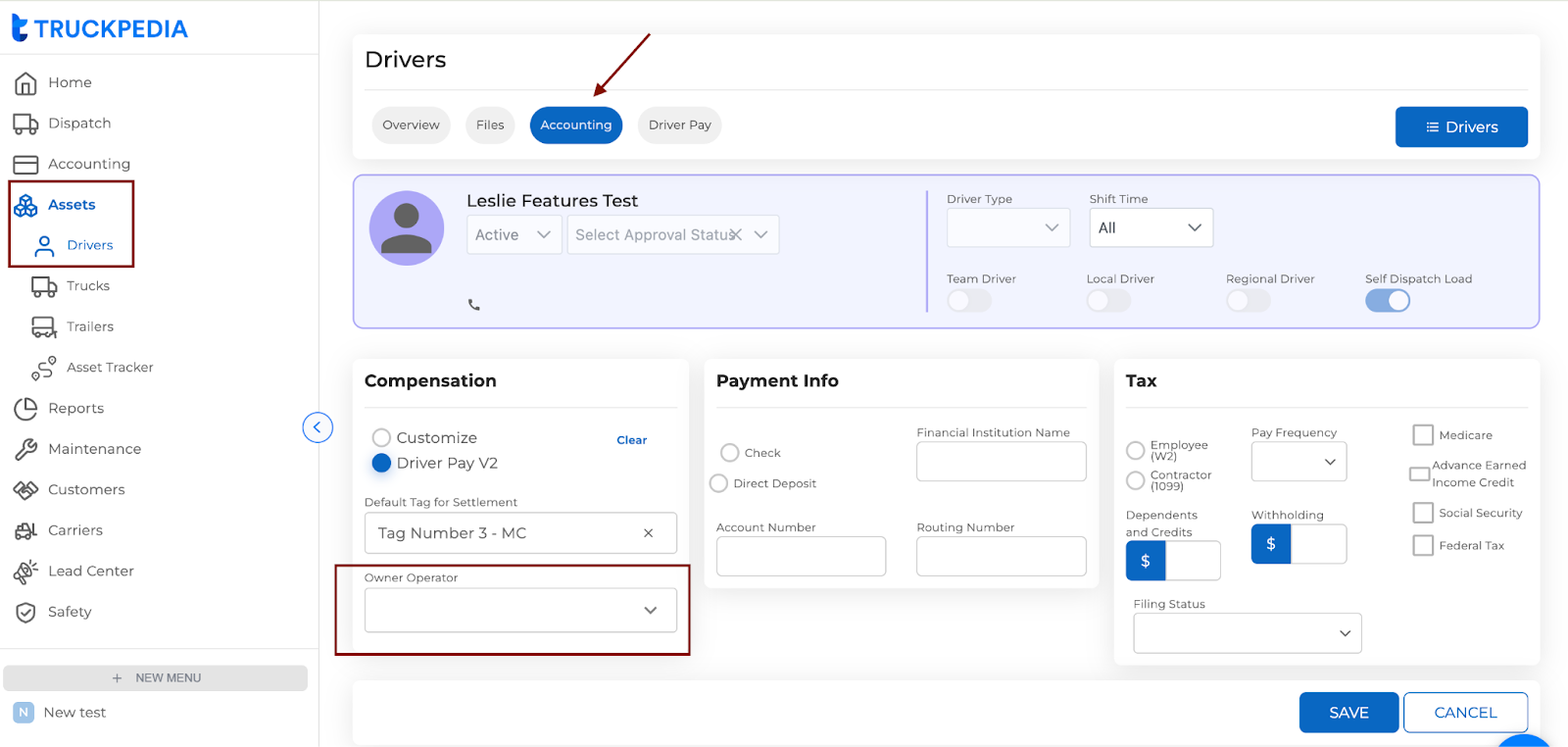
This links the driver to the Owner Operator for payment purposes.
Once assigned, the driver no longer receives settlements directly.
Step 3: Pay the Owner Operator
- Go to Driver Pay / Settlements
- Generate the settlement
By default:
- Payment will be issued to the Owner Operator
- The driver will not appear as the payee
No manual switching is required.
What This Replaces
|
Old Method |
New Method (Trip 3) |
|
Owner Operator via tags |
Owner Operator via Customers |
|
Selected on the load |
Assigned in driver profile |
|
Manual payee logic |
Automatic pay routing |
Common Mistakes to Avoid
- Trying to assign an Owner Operator on the load
- Looking for Owner Operator setup under tags
- Using this workflow on non-Trip 3 accounts
If you do not see the Owner Operator option in the driver profile, your account is not on Trip 3.
Need Help?
If you are unsure whether Driver Pay V3 (Trip 3) is enabled on your account, or need it activated, contact support and they will assist you.