
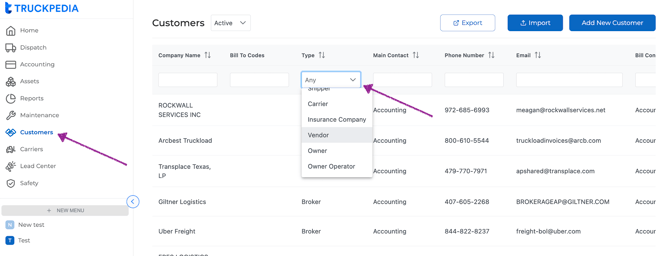
To filter:
- Go to Customers.
- In the Type column, click the filter dropdown (defaults to "Any").
- Select the type you want (e.g., Carrier, Vendor, Owner Operator).
You can also export the customer list using the Export button.
For questions, reach us at help@truckpedia.io