
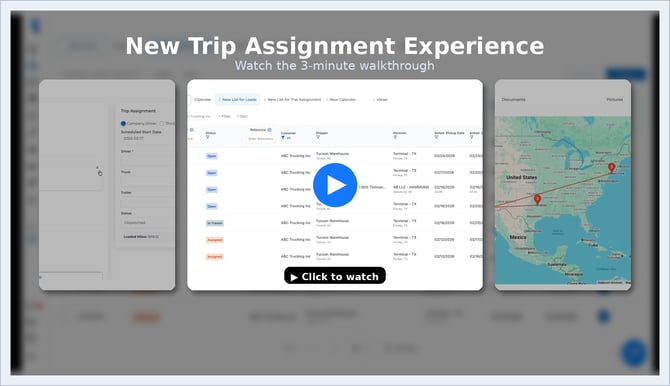
What is Trip Assignment?
Trip Assignment lets you build a trip instead of just assigning a load.
A trip is a sequence of stops and actions that a driver is responsible for — including pickups, deliveries, yards, terminals, or other saved locations.
This means you can:
-
Assign only part of a load if needed
-
Combine stops into one driver’s workflow
-
Adjust stop order based on real operations
-
Plan trips the way your team actually runs freight
✨ What’s New
With the new Trip Assignment experience, you can:
✔ Create trips directly from your Load List
Select one or more loads and create a trip in just a few clicks.
✔ Adjust the trip timeline
Reorder stops, remove stops, or add additional stops without rebuilding the load.
✔ Add saved addresses
Insert terminals, hubs, yards, or warehouses into the trip flow.
✔ Assign drivers, trucks, and trailers
Choose company drivers or third-party carriers and dispatch immediately.
✔ Keep everything connected
Documents and photos uploaded by drivers still flow into the correct load automatically.
Why Dispatchers Will Love This
Dispatchers often need to:
-
Split responsibilities between drivers
-
Handle partial loads
-
Add yard stops or relay points
-
Adjust routes based on real-time operations
Before, this required workarounds.
Now, Trip Assignment gives you a flexible planning layer that makes these workflows simple and visible.
🧭 Better Visibility for Dispatch
Once a trip is created, you can:
-
View all trips in the Trip Assignment list
-
Open and edit assignments anytime
-
Track stop sequence and progress
-
See driver activity and updates in real time
The activity log continues to track the trip flow so you always know where things stand.
🚀 Start Using It
Trip Assignment is now live.
If your team handles multi-stop routes, trailer handoffs, or flexible dispatching — this feature is built for you.
Try it out from your Load List and let us know what you think.
We’re excited to see how you use it.